How to Move Off WordPress Without Losing Your Google Rankings
A new website shouldn't mean starting over in Google. Here's what has to move with you, the redirect map that protects your traffic, and what to check after launch.
 Bohdan Meklesh12 Nov 2026· 6 min read
The biggest fear before a website rebuild is simple: "Will we disappear from Google?" It's a fair fear. Done carelessly, a new site can lose a big part of its search traffic overnight. Done properly, traffic stays - and often grows, because the new site is faster and clearer.
Why sites lose rankings
Google remembers your pages by their addresses. If /our-services-2/ suddenly returns "page not found", all the trust that page built up over the years is gone, along with every link pointing to it from other sites. Most lost rankings come from three things:
- Old addresses that no longer exist
- Titles, descriptions and headings that change or disappear
- Content that gets cut because "nobody reads it" - even though Google does
Step 1: Make a list of everything Google knows
Before anything is designed, export every URL: from the sitemap, from Google Search Console and from a site crawl. Mark the pages that actually bring visitors. Those are the ones you protect first.
Step 2: Build a redirect map
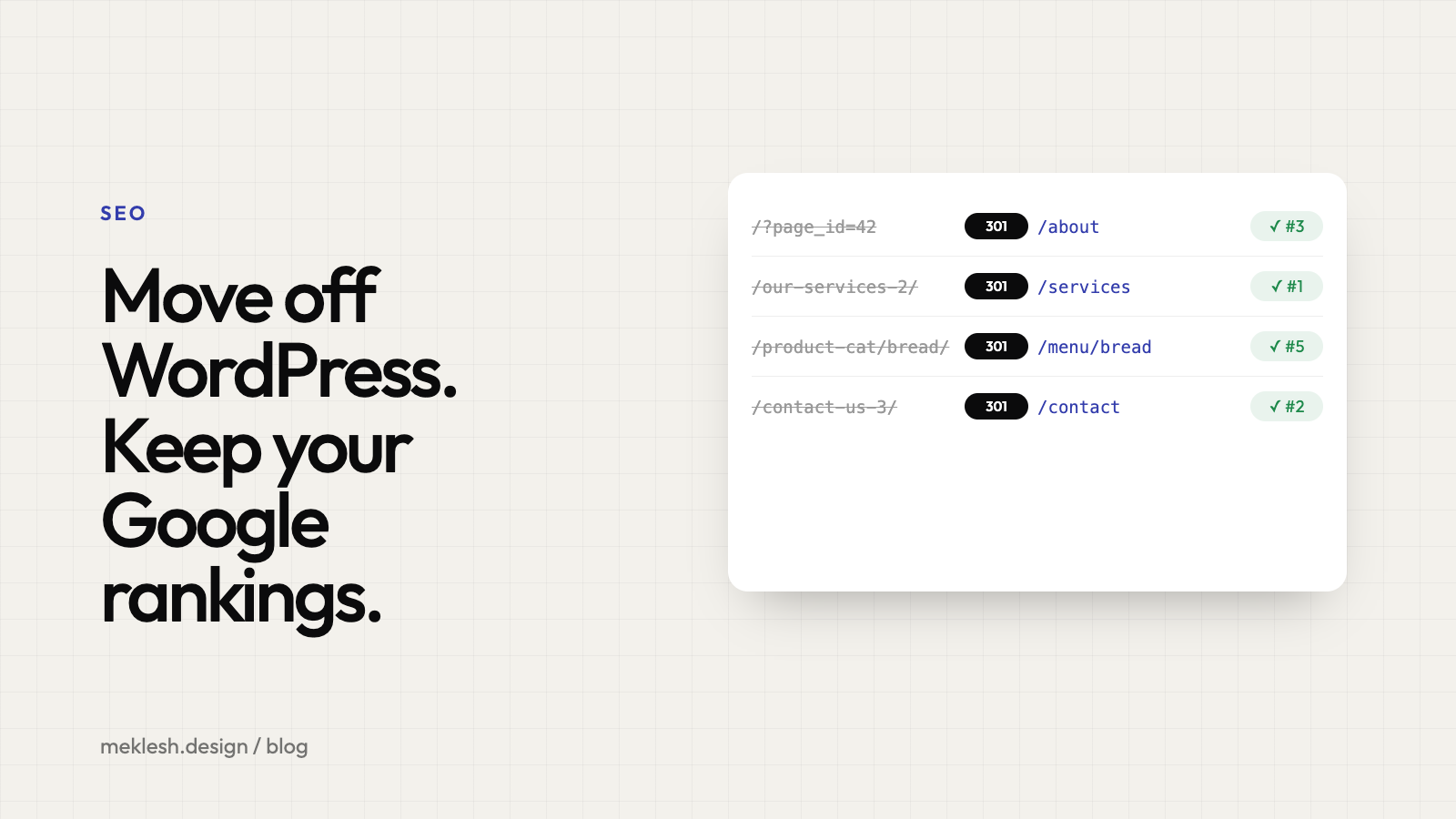
Every old address gets a new home. A 301 redirect tells browsers and Google that a page has moved permanently, and passes most of its value to the new address.
- /?page_id=42 becomes /about
- /2019/05/our-services-2/ becomes /services
- Pages you remove point to the closest relevant page, never all to the homepage
Step 3: Keep what works
Keep the page titles, meta descriptions and main headings that already rank, unless there's a clear reason to improve them. Keep the content that answers real questions. A redesign changes how a page looks - it doesn't have to change what it says.
Step 4: Launch carefully
- Test every redirect before switching the domain
- Submit the new sitemap in Google Search Console
- Keep analytics running so you can compare before and after
- Make sure nothing is accidentally hidden from search engines
Step 5: Watch the first weeks
Small dips in the first one or two weeks are normal while Google re-reads the site. Check Search Console for "not found" errors and fix them as they appear. After that, a faster and clearer site usually gives you a better position than before.
The short version
Moving off WordPress is not risky because of the new platform. It's risky when nobody plans the move. With a complete list of URLs, a redirect for every old address and the content that already works kept in place, your customers - and Google - follow you to the new site.
Want this done for you?
Every migration I run is planned around your existing rankings: each old address is mapped, redirected and checked after launch.
See the full approach on the WordPress rebuild & migration page.
Or send me your site and I'll tell you what a safe move would look like.